WordBrain - Word puzzle game
- 4.4
- Rating
- 10.00M
- Installs
- Free
- Price
 Analysis by App-foxy
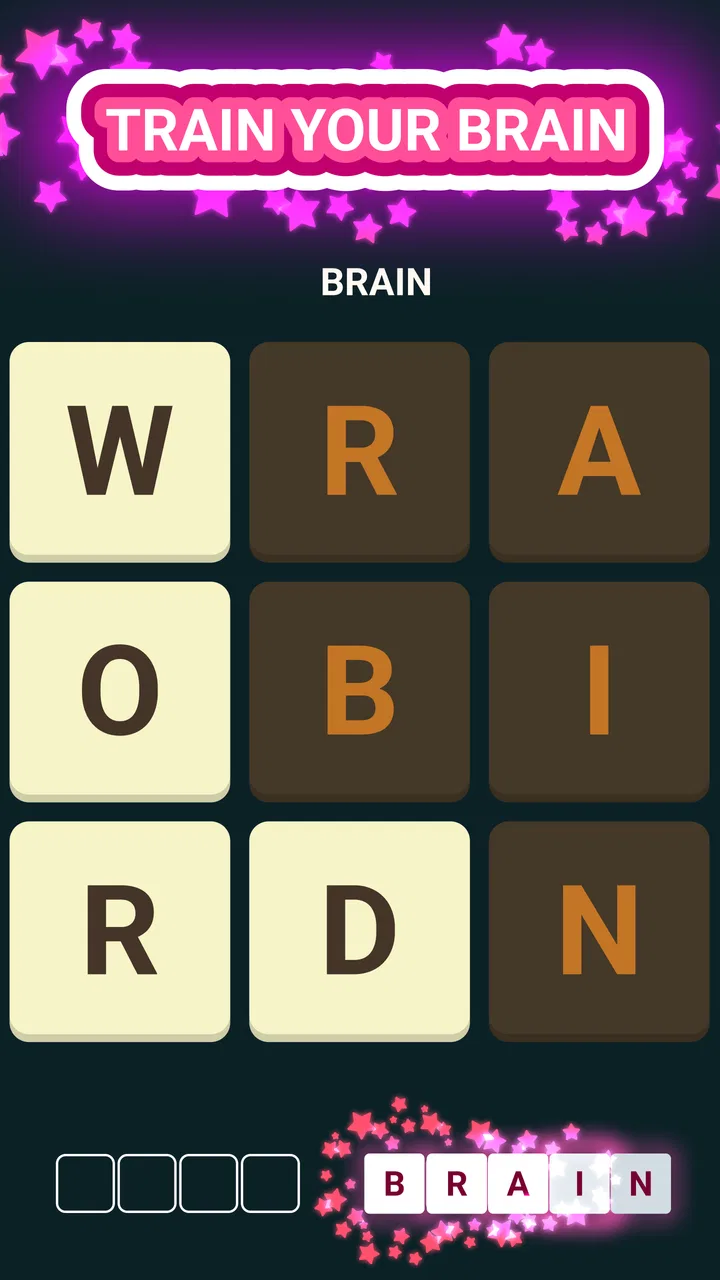
I picked up WordBrain expecting a quick vocabulary diversion, but I found a game that works best as a small daily habit rather than a long, dramatic gaming session. Its basic idea is easy to understand: arrange letters on a grid to uncover words, then keep working through a large collection of puzzles. That simplicity makes it approachable, while the gradual pressure to spot less obvious words gives it enough bite to stay interesting.
It is a free word game from MAG Interactive, rated for Everyone. The store page shows an average rating of 4.4 from around 951 thousand ratings, and its audience is clearly established, with over 10 million installs. Those figures do not automatically make a game good, but they match my impression that this is a familiar, accessible puzzle format rather than an experimental title aimed at a narrow group.
How WordBrain feels in everyday use
I find the everyday appeal comes from how little setup each visit needs: I can open a grid, focus on one possible word, and decide whether I have the patience for another. A useful habit is to pause after a solve and reassess the changed letter layout rather than carrying an earlier guess forward. That keeps a short break manageable and makes the next puzzle feel like a fresh decision.
You May Also Like

 Blood Strike: 2.5 Anniversary
Blood Strike’s Loadouts Turn Every Drop Into a Tactical Gamble
A close look at Blood Strike’s custom loadouts: how fast access to signature weapons reshapes its battle royale rhythm, rewards preparation, and narrows the gap between fights.

 Pandora - Music & Podcasts
Pandora’s Music Is Easy to Start, but Harder to Recover
Pandora’s strength is its low-effort path from a seed to a station. Its weak spot is how much confidence it asks you to place in connection, setup, and quiet recovery.

 8 Ball Pool
 Is Built on Rivalries, Rematches, and Routine
A close look at the rivalries, rematches, shared routines, and unanswered safety questions that turn a quick pool match into a persistent mobile community.

 Samsung Music
’s Quiet Strength Is Playing What You Already Own
Its reach comes less from spectacle than from dependable access to a personal library. That simplicity is both the app’s strongest retention engine and its ceiling.

 AccuWeather: Weather Radar
AccuWeather Review: A Quick, Clear Forecast for Everyday Decisions
For everyday plans, the best forecast is the one you can understand quickly. AccuWeather makes rain timing, radar, and local conditions easy to act on, with a few trade-offs.

 Hill Climb Racing
Why Hill Climb Racing Still Turns Crashes Into One More Run
A tiny car, a bumpy hill and one more upgrade: Hill Climb Racing keeps resurfacing because its simple chaos makes every near-miss feel personal.
More From Our News Desk
View All News


Quick starts and a pace that suits short sessions
The strongest part of the experience is how quickly I can get into a puzzle. There is no complicated rule set to memorize before playing. I look at the letter grid, trace a possible word, and immediately learn whether my instinct was correct. That makes it a natural choice for a short break, especially when I want something more mentally active than scrolling but less demanding than a full game.
The game is built around more than 1,700 word puzzles, so it has the scale to support repeated visits. I would not treat that number as a promise that every puzzle will feel equally fresh. Word games inevitably create moments where the answer seems obvious and others where I stare at the same letters for too long. Still, the broad puzzle library gives the format room to become a routine instead of a one-evening novelty.
In my experience, the perceived speed depends less on the game itself than on how I approach each grid. If I scan randomly, progress feels slow. If I first look for short connecting words and then consider how removing them changes the remaining letters, the session becomes more deliberate and usually more satisfying. That is an important distinction: this is not simply a test of vocabulary, but also a game of order and visual planning.
A realistic use case is a commute or a coffee break. I can play a few puzzles, stop without needing to remember a complicated storyline, and return later for another small challenge. It also fits the end of the day when I want to exercise attention without committing to a competitive match. People who prefer games with immediate action may find the pace too quiet, but that calm rhythm is exactly why I keep coming back to it.
What happens during longer or heavier sessions
Short sessions show the game at its best. Longer sessions reveal its main trade-off: the central mechanic remains consistent, so the experience can begin to feel repetitive if I play for too long at once. The increasing difficulty can compensate for that, but it does not transform the game into a varied adventure with new modes, characters, or changing environments.
When I get stuck, the frustration is usually mental rather than technical. I may know several words but choose them in the wrong order, or overlook a simple word because I am searching for something more impressive. A useful habit is to stop trying to solve the entire grid at once. I inspect the smallest likely words, test how each choice affects the remaining letters, and only then search for longer combinations. This reduces guesswork and makes the puzzle feel more like a structured problem.
That approach also helps conserve any assistance I might otherwise be tempted to use. In-app purchases range from $0.99 to $14.99 per item, so players should think about their spending style before treating hints or other paid help as part of normal play. I prefer to regard assistance as an occasional escape hatch, not as a shortcut through every difficult grid. The game is more rewarding when I give myself time to solve a stubborn arrangement.
Another non-obvious strength is that the fixed grid gives the game a useful stopping point. I can finish one puzzle and put the phone away without feeling pulled into an endless round. That makes it easier to use responsibly than games designed around constant escalation. On the other hand, anyone looking for a rich multiplayer experience, a story campaign, or a game that changes substantially from one session to the next should look elsewhere.
Stability, recovery, and the practical side of playing
From a reliability perspective, the uncomplicated design works in its favor. There are fewer moving parts to keep track of than in a large action game, and the basic word-grid format is easy to understand when I return after a break. I do not have to relearn controls or remember a complicated objective. That makes recovery from an interrupted session relatively straightforward: I can come back to the puzzle and continue thinking about the letters.
I still recommend treating any mobile game as something that can be interrupted. A phone call, an operating-system change, or simply closing the app at the wrong moment can break concentration even when the game itself is behaving normally. My practical advice is to finish a puzzle before switching tasks when possible, particularly if you are deeply focused on the order of the words. The mental state is easier to recover when the grid is not left half-solved.
The current version is 1.50.1, and the game supports devices running Android 7.0 or later. That gives it a relatively broad compatibility range for Android users, although compatibility on paper is not the same as identical performance on every handset. Older phones may feel less comfortable if the system is already crowded with other apps, while newer devices should have an easier time handling a lightweight word-puzzle experience.
I would not choose this title as a stress test for a phone. Its appeal is the thinking, not demanding graphics or elaborate sound design. That also means people with limited storage or older hardware may find the category more suitable than visually intensive alternatives. I cannot promise the same response on every device, but the modest nature of the game makes it a sensible candidate when the priority is a simple puzzle rather than a resource-hungry production.
Battery, attention, and device limitations
Word games are usually easier on a device than action games, and this one feels designed around brief, focused interaction. I can play without needing a large screen or physical controls, although a cramped display may make letter tracing less comfortable for some people. If you often play while walking or in a moving vehicle, the small grid can also become harder to read and manipulate, so I prefer a settled position with enough light.
The more important resource here is attention. A puzzle can look small but still demand several minutes of concentrated scanning. That is a benefit if you want a compact brain exercise, but a drawback if you need something relaxing that requires almost no thought. I would not open it when I am already mentally exhausted and expecting passive entertainment; the game may feel like work at that point.
It is also worth separating device performance from content tolerance. A phone may run the game comfortably, yet the player may tire of the repeated word-search structure. Conversely, someone who enjoys vocabulary challenges may overlook the lack of visual variety because the grid itself provides enough mental friction. In my view, that is the real compatibility test: not just whether your phone can run it, but whether you enjoy solving words through repeated spatial choices.
How it compares with other word-puzzle choices
Compared with a daily word guessing game, this title offers a larger ongoing supply of grids and a more spatial style of solving. A daily format can feel cleaner and more focused because it gives you one central challenge, while this game is better suited to players who want to continue beyond a single puzzle. If you like the ritual of one carefully discussed answer per day, another option may feel more satisfying.
Compared with crossword puzzles, the learning curve is gentler because I do not need to interpret clues or fill a large themed layout. The trade-off is that I get less context and less of the wordplay that makes crosswords rewarding. Compared with an anagram game, the grid adds an extra planning layer: the words are not merely a pile of letters, because the order in which I clear them matters. That is where this game earns its own identity.
For language learners, it can be useful as a light vocabulary prompt, but I would not treat it as a complete study tool. Solving a word does not necessarily explain its meaning, pronunciation, or usage in a sentence. Someone who wants structured lessons should choose a dedicated language-learning app. Someone who already enjoys English word puzzles and wants regular practice may find it a pleasant supplement.
Who will enjoy it, and who should skip it
I would recommend it to people who like quiet challenges, short sessions, and the satisfaction of finding a word that was hidden in plain sight. It is especially suitable for players who enjoy improving through observation rather than reflexes. The Everyone age rating also makes the basic concept approachable for a broad audience, though individual word familiarity will naturally vary between players.
I would be more cautious about recommending it to anyone who needs constant novelty. If you want dramatic progression, deep customization, real-time opponents, or an audio-visual spectacle, the simple grid will probably feel limited. Players who dislike hints, in-app purchases, or the possibility of being slowed by a difficult puzzle should also consider whether the free entry point matches their preferred way to play.
For me, the best workflow is to use it in controlled bursts: solve a few grids, pause when concentration drops, and return later instead of forcing progress. I keep paid assistance as a last resort and try alternative word orders before using it. That small change makes the game feel less like a test of speed and more like a puzzle I am actively learning to read.
My performance verdict
WordBrain is at its strongest as a lightweight, repeatable word puzzle for focused breaks. The straightforward grid makes it easy to start, the large puzzle collection gives it staying power, and the Android 7.0 requirement means it is not restricted to only the newest devices. Its perceived speed is generally appropriate for the format, while its real demand comes from sustained attention rather than demanding graphics.
The limitations are equally clear. The core loop can become repetitive during heavy use, difficult grids may interrupt the relaxed flow, and optional purchases can influence how comfortable a player feels when stuck. It is free to start, but I would decide in advance whether I am willing to spend anything rather than making repeated small purchases in frustration.
MAG Interactive has made a focused game rather than an all-purpose word platform. That focus is a strength when I want a compact mental challenge and a weakness when I want variety or social competition. After using it, I would recommend it to a friend who enjoys vocabulary puzzles and wants something easy to pick up throughout the day. I would point a more demanding or variety-seeking player toward a crossword, a daily guessing game, or a structured language app instead.
Overall, I see it as a dependable choice for people who enjoy solving at their own pace. It does not need flashy presentation to make a small break feel worthwhile, and its best moments come when I stop rushing, examine the grid carefully, and discover that the answer was available all along.
FAQs for WordBrain - Word puzzle game
01What is WordBrain, and how does the game work?
WordBrain is a word puzzle game in which you swipe across letter tiles to form hidden words. Each level presents a grid that gradually becomes larger and more challenging, requiring you to find words in the correct order to clear the board. The early puzzles are simple, while later stages test vocabulary, spelling, and strategic thinking much more seriously.
02Is WordBrain free to download and play?
WordBrain can generally be downloaded and played for free, making it easy to try without an upfront purchase. However, the game may include optional in-app purchases, advertisements, or systems that limit hints and other helpful resources. Players who want to progress faster may be encouraged to purchase additional assistance, although patient users can still enjoy many puzzles without spending money.
03Does WordBrain require an internet connection?
Many WordBrain puzzles can be played without a constant internet connection, which is useful when traveling or when mobile data is unavailable. Nevertheless, an internet connection may be needed for certain features, such as advertisements, purchases, synchronization, updates, or online events. Availability can also depend on the version installed and the device’s operating system.
04Is WordBrain suitable for children and language learners?
WordBrain is suitable for many children, teenagers, and adults who enjoy vocabulary-based games, but the appropriate experience depends on the player’s reading ability and language skills. Some levels use less common words, so younger players may need help with difficult answers. The game can support spelling and vocabulary practice, although it should be viewed as entertainment rather than a complete learning tool.
05What should I know about hints, difficulty, and in-app purchases before playing?
WordBrain starts with approachable puzzles but becomes increasingly difficult as grids expand and word combinations become harder to recognize. Hints can be useful when you are stuck, yet they may be limited or connected to advertisements, rewards, or optional purchases. Before downloading, players should understand that completing every level may require patience, repeated attempts, and careful management of available hints.
Pros
- Thousands of levels provide plenty of long-term gameplay.
- Simple controls make it easy to start solving puzzles quickly.
- Daily challenges add a fresh puzzle routine for regular players.
- Works well for short sessions during commutes or breaks.
- Word difficulty gradually increases as your vocabulary skills improve.
Cons
- Some later levels may require obscure or uncommon words.
- Hints can be limited
- encouraging in-app purchases or waiting.
- Repeated puzzle patterns may feel predictable over time.
- Small letter tiles can be uncomfortable on compact screens.
- Progress may be frustrating if you get stuck without a hint.

WordBrain - Word puzzle game
Gallery